/ Overview
I designed and built an outbound operations platform for a local agency that needed to scale email outreach without scaling admin.
The platform brings lead import, AI-assisted enrichment, review, campaign assignment, email scheduling, controlled sending, reply ingestion, outcome tracking, and performance reporting into one workspace.
This project explored how AI-assisted development can extend design beyond static screens. I translated product logic, UI patterns, and data states into a working React application connected to Neon and n8n, then used the build to test decisions that static prototypes would not have exposed as clearly.
/ Problem statement
The agency wanted to increase outbound activity, but the process was too manual and fragmented to scale cleanly.
Lead data, campaign activity, replies, and outcomes lived across disconnected tools. Nobody could answer basic operational questions without checking multiple systems: Which leads are ready? Which campaigns are running? Who replied? What needs to happen next?
Key pain points included:
Lead records required cleanup and enrichment before campaign use.
Owner-name identification was time-consuming and inconsistent.
Campaign setup and scheduling lacked a repeatable structure.
Replies were disconnected from the original lead record, making triage slow.
Performance was hard to measure beyond basic send counts.
More outreach created more admin, not more clarity.
The design challenge was to give the agency structure, automation, and visibility without building a bloated CRM that would create its own complexity.
/ My role
I led the product design and AI-assisted build, from problem framing through to working implementation.
I was responsible for workflow mapping, state design, UX flows, interface design, reusable component patterns, accessibility considerations, and the working build.
Because this project did not include ongoing user feedback sessions, the working build became my primary testing surface. I used it to test workflow logic, data states, empty states, eligibility rules, and edge cases that would have been difficult to validate through static screens alone.
I kept the product focused on outbound operations rather than expanding into broader CRM features, prioritising workflow reliability, visibility, and controlled automation before future scale.
/ Approach
Workflow mapping
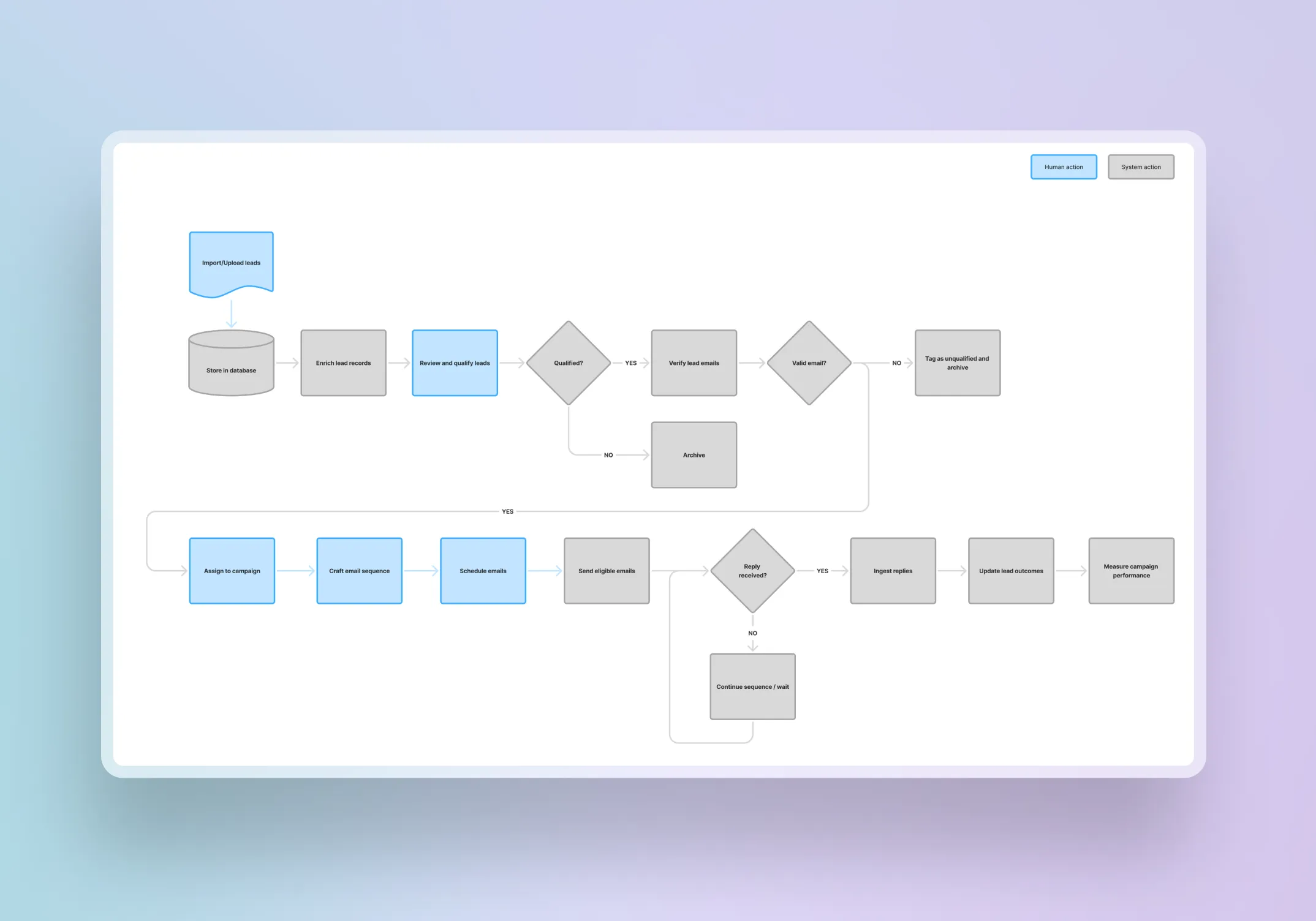
I mapped the desired end-to-end journey from lead import through to outcome measurement. This clarified where users needed control, where the system needed rules, and where automation could reduce repetitive admin.
Product boundaries
I scoped the product around outbound operations only. The boundary was deliberate to handle:
lead preparation
campaign scheduling
reply triage
outcome tracking
performance visibility.
Everything outside that workflow was excluded to keep the product focused and easier to extend later.
State design
I structured the UX around clear status models. Core lead states included:
Ready
Queued
Contacted
Replied
Won
Lost
Do Not Contact
Archived
These states drove interface behaviour, eligibility rules, filters, and stop conditions.
Interface considerations
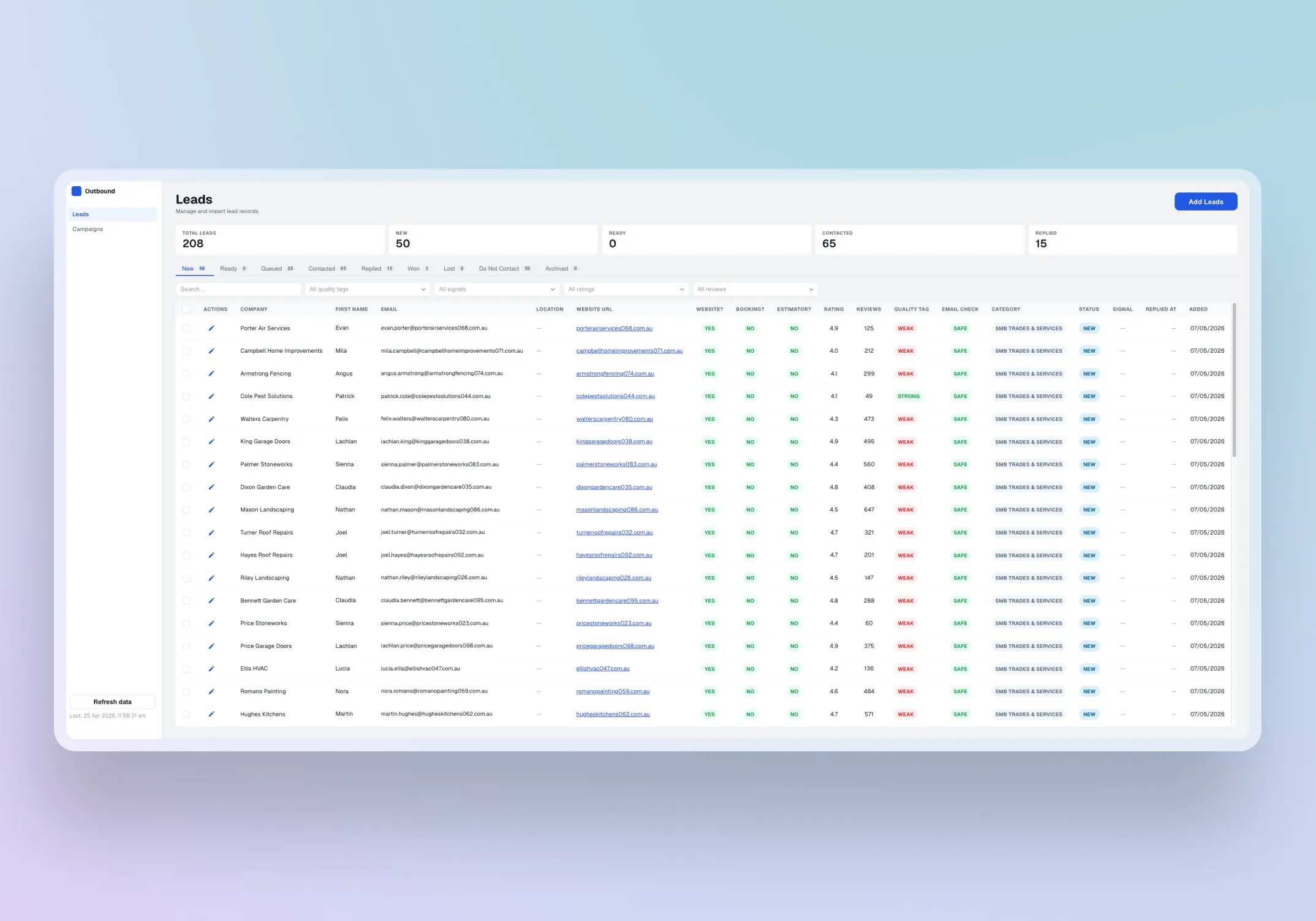
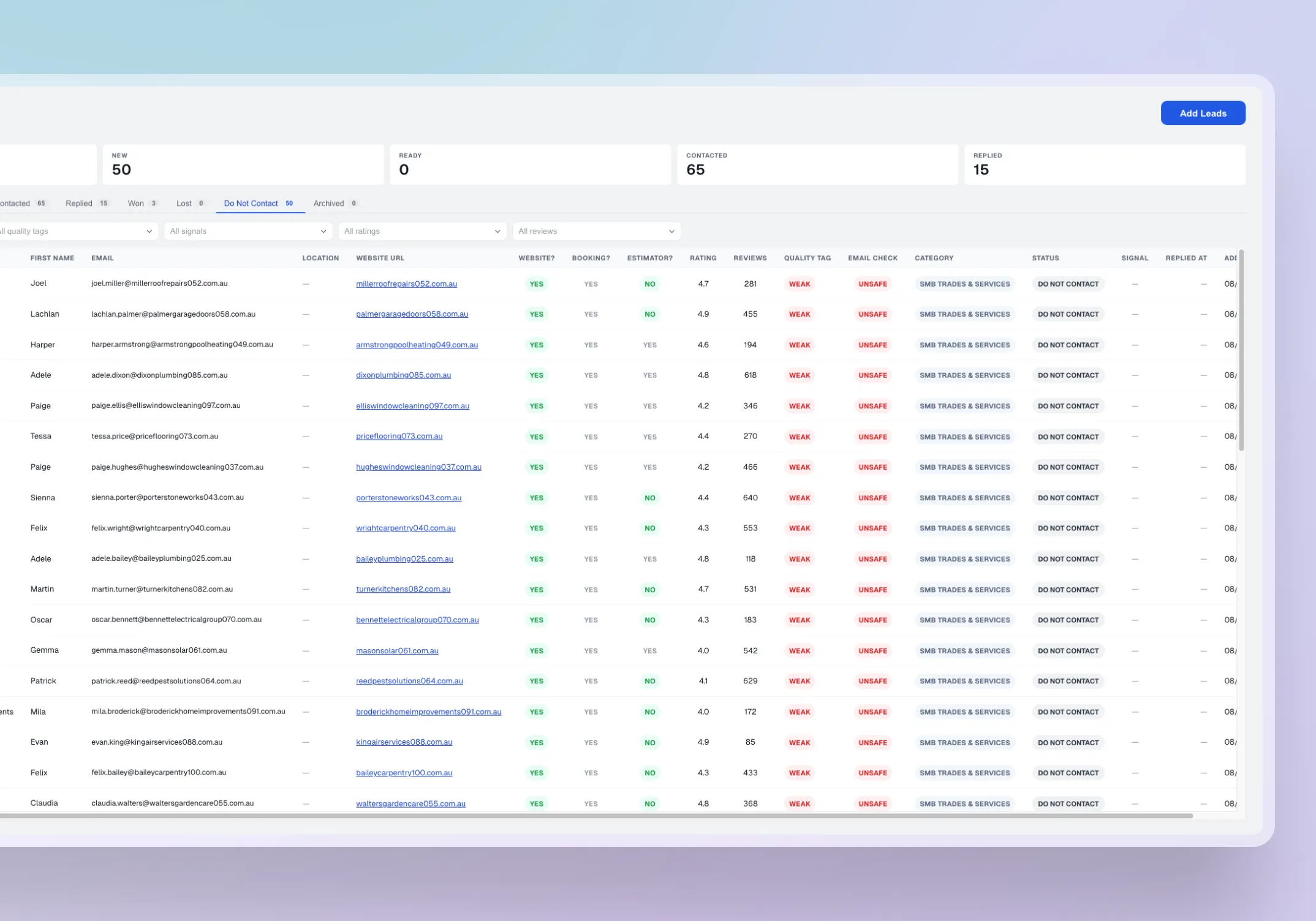
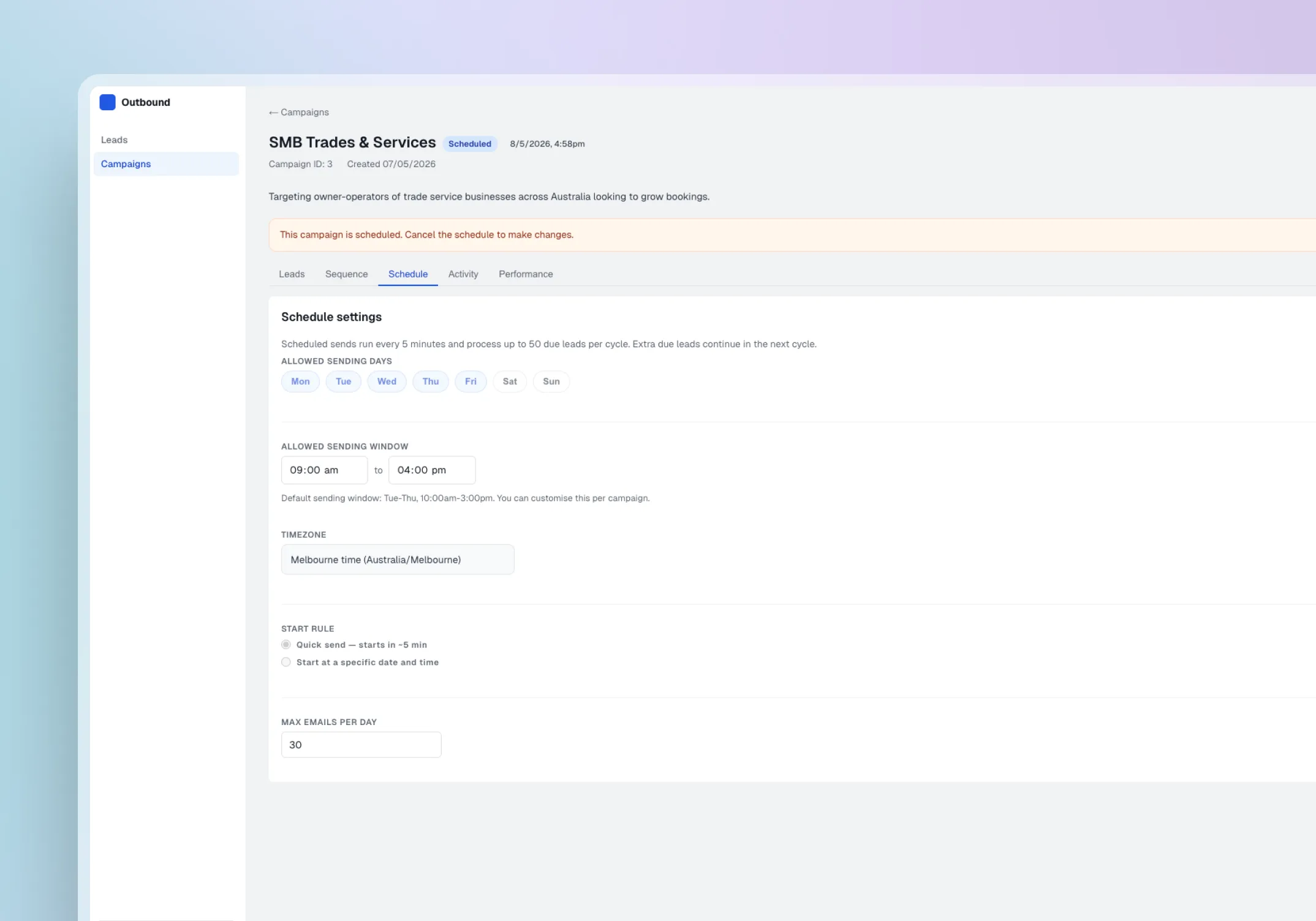
The dashboard, lead tables, campaign views, and scheduling interactions were designed to help users manage outbound timing with confidence. The interface supports fast scanning of campaign schedules, clear visibility into what is queued or already sent, and simple decision-making around when campaigns should run. I also considered readable status treatment, clear empty states, and interaction feedback so users could quickly understand campaign timing, scheduled activity, and system behaviour.
AI and build validation
AI was introduced where it reduced manual effort without removing user judgement. AI-assisted enrichment helped identify missing business context before campaign assignment, including owner names, business location, website signals such as existing bookings or pricing, and Google Maps review data. AI-assisted response signalling helped detect early reply intent after outreach. The working React build, connected to Neon and n8n, allowed me to test product behaviour against data states rather than assumptions.
/
AI &
Design workflow
1. Map the outbound workflow
I mapped the journey from lead import through enrichment, review, campaign assignment, scheduling, controlled sending, reply capture, outcome update, and performance review. This defined the product’s core structure and clarified where users needed control and where automation could reduce effort.
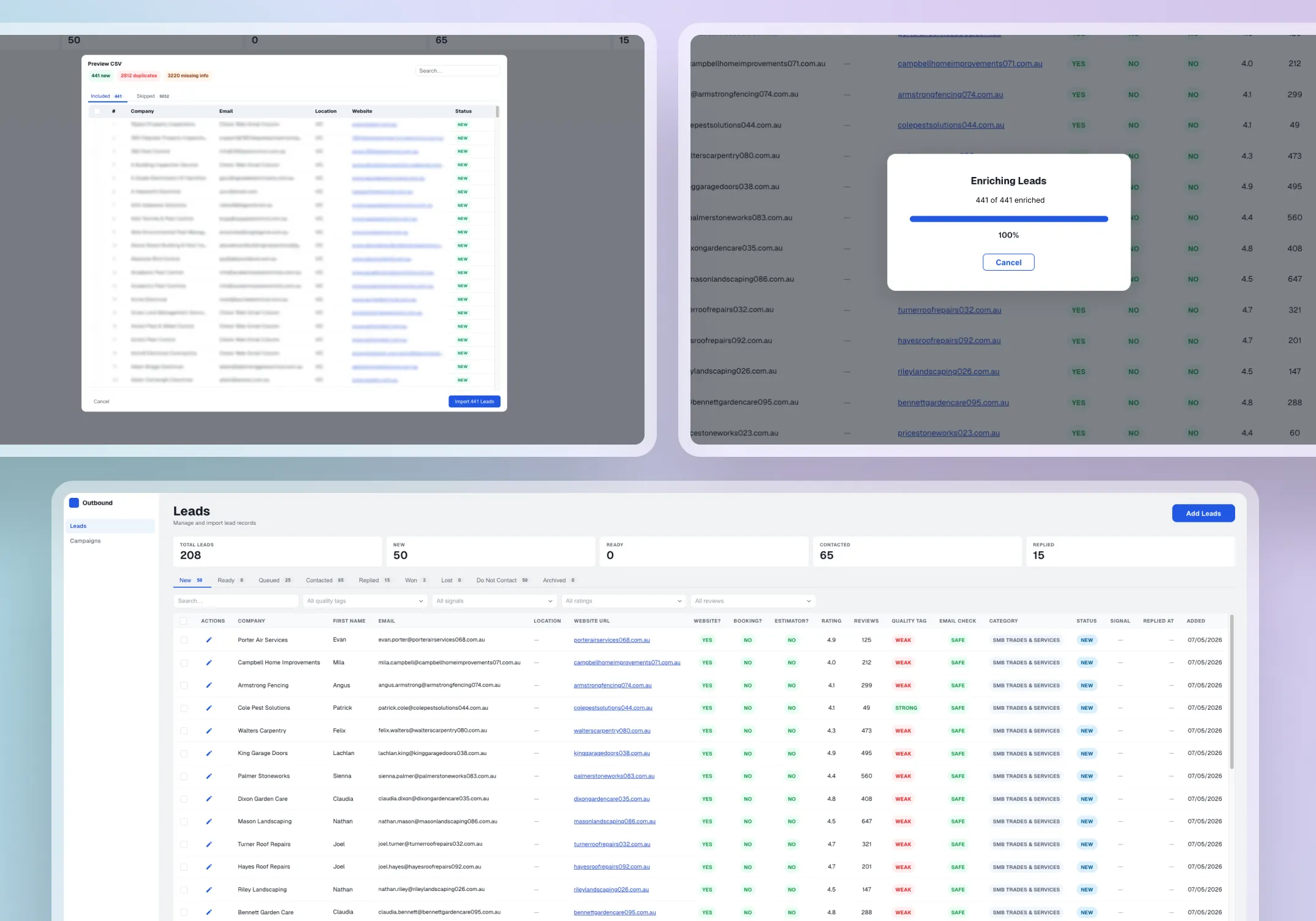
At the import stage, I designed validation checks to catch data quality issues before leads entered the workflow. The system verified that each record included a valid website and email address. Where emails were missing, a third-party API was used to source them from the lead's website. A separate email verification API then checked deliverability to reduce bounce risk and protect the sending domain's health. This meant leads that reached the review stage were already cleaned and validated, reducing manual effort downstream.
2. Design the state model
I defined lead and campaign states that drove interface behaviour, eligibility rules, and stop conditions. Leads marked Replied, Won, Lost, Archived, or Do Not Contact became ineligible for further automated outreach. This model became the backbone of the product’s safety and clarity, and it was the single decision that most influenced the rest of the interface design.
3. Build the interface system
I created dashboard layouts, lead tables, campaign views, detail drawers, status badges, filters, empty states, and reusable component patterns. Testing against working data states during the build revealed gaps that static design would have missed. For example, the original reply empty state did not provide enough context when a campaign had sent emails but received no responses. I revised the pattern to show send activity alongside the empty state, improving clarity during early campaign stages and establishing a reusable pattern for other zero-data views.
4. Integrate AI into the workflow
AI-assisted enrichment checked for owner names, business location by state, and whether the business already displayed bookings, price estimates, or embedded scheduling tools on their website using keyword detection and embed link analysis. Google Maps API was used to collect review ratings and review counts where available. This context helped users assess lead quality and outreach fit before campaign assignment.
Enrichment sat before review so users always saw improved data before acting. Reply signalling sat after ingestion so users could triage faster without the system deciding outcomes on their behalf.
5. Validate through a working build
I used AI-assisted development to build the application and test design decisions against working product behaviour. This exposed issues that static prototypes would not have surfaced as clearly: edge cases in campaign eligibility when leads had multiple enrolments, send queue logic that behaved differently under concurrent campaign states, and status transitions that needed safeguards when reply data arrived out of sequence.
A walkthrough of the platform demonstrating the process of adding leads, creating, and scheduling a campaign in one focused workflow.
/ Challenges & Solutions
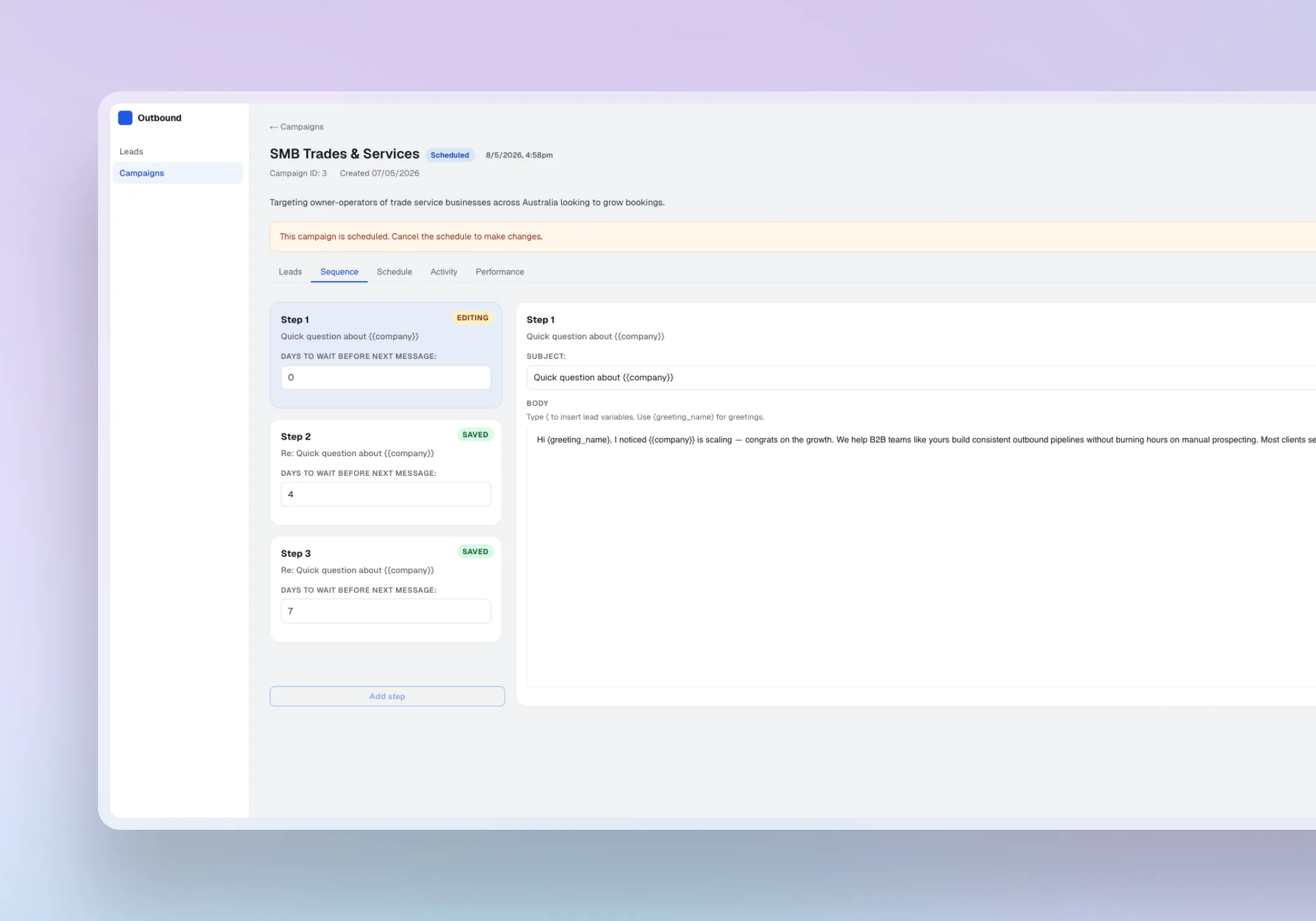
Making automation transparent and trackable
The platform automated enrichment, sending, and reply ingestion, but users still needed to understand what the system was doing and whether it was working. Without visibility into automated activity, the agency would either have to trust the system blindly or fall back to manual checking.
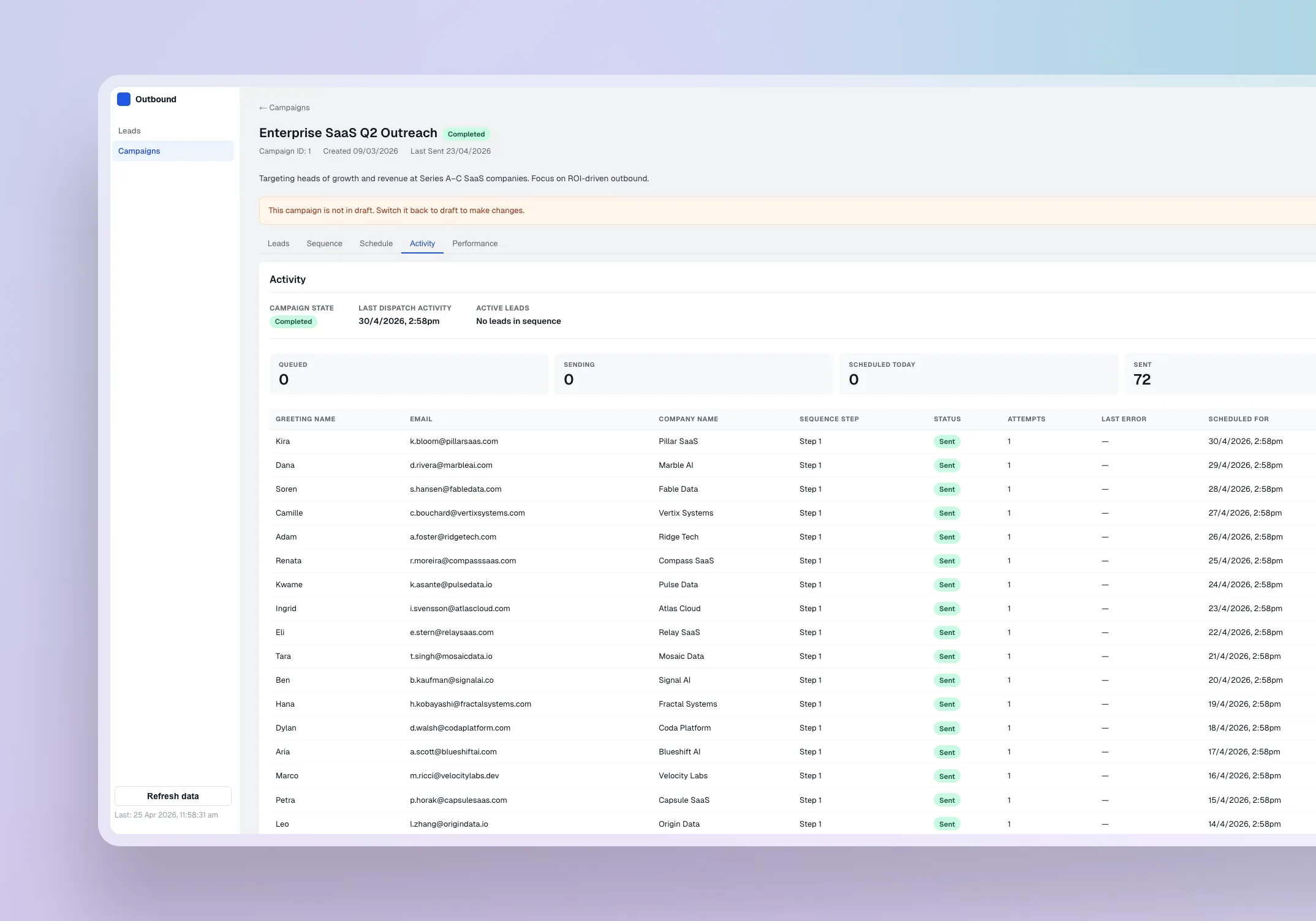
I designed an activity tracking view that surfaced system actions, send events, skip reasons, reply ingestion, and status changes in a scannable timeline. This created a clear audit trail showing what had happened, what had been skipped, and where attention was needed.
During build testing, skip reasons became especially important. Some leads were blocked because they were missing email addresses, already marked as replied, or no longer eligible for outreach. Surfacing those reasons turned the activity view from a passive log into a practical decision-support layer.
Personalising outreach without risking broken emails
The agency wanted outreach to feel personal, but lead data was inconsistent. Some records included owner first names, while others did not. Sending an email with a blank name field would look worse than no personalisation at all.
I designed the email template system to support first-name variables as the primary personalisation, with a fallback rule that substituted the company name when the first name was missing. This kept outreach feeling relevant without depending on complete data, and reduced the risk of broken or awkward emails reaching recipients.
This decision also protected user confidence. Instead of requiring every lead record to be perfect before scheduling a campaign, the system could handle incomplete data gracefully while still encouraging better enrichment where available.
Making campaign performance measurable and actionable
The agency had no clear way to understand which campaigns were working and which were not. Performance was largely judged through gut feel, inbox checking, or basic send counts, which made it hard to compare campaign quality or decide what to improve.
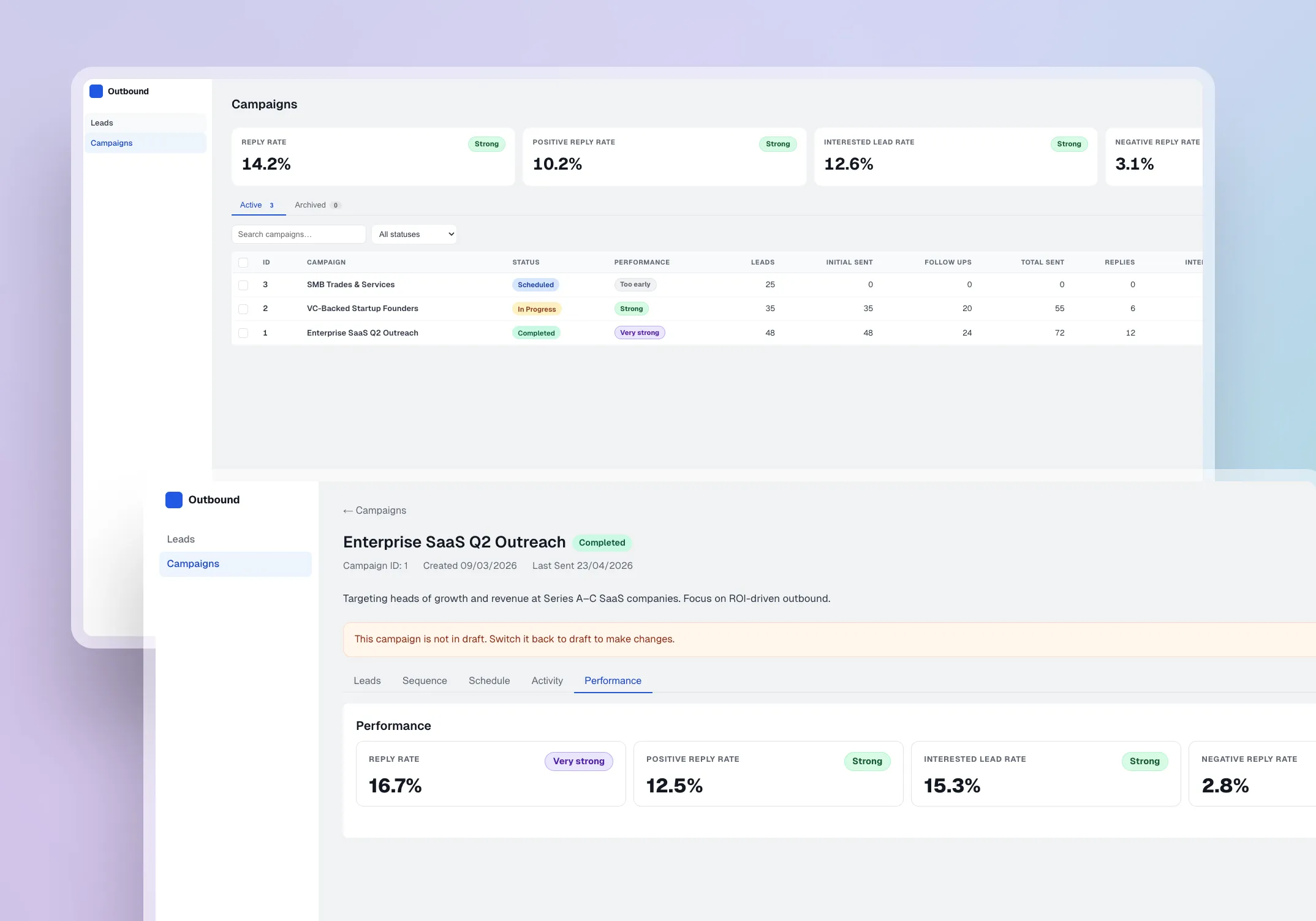
I designed performance visibility at two levels: a per-campaign view showing send volume, reply rate, outcome distribution, and response signals, and a main tracker showing performance across all campaigns in one place.
During build testing, I found that reply rate alone could be misleading. A campaign could generate replies, but those replies still needed context: positive interest, negative responses, objections, or unclear intent. This led me to pair reply metrics with outcome distribution and response signals, so performance was not judged by volume alone.
This made it possible to compare campaigns, identify which templates and sequences were generating stronger results, and make clearer decisions about which campaigns to reuse, adjust, or retire. A future iteration would introduce AI-assisted performance summaries to identify trends and suggest next actions based on observed metrics, reducing interpretation effort for the agency.
/ Outcome & next steps
The project replaced a fragmented outreach process with one workflow for lead enrichment, campaign scheduling, controlled sending, reply triage, outcome tracking, and reporting.
It centralised lead, campaign, reply, and outcome data, reduced reliance on spreadsheets and inbox checks, and introduced stop conditions to prevent inappropriate follow-ups. The agency gained operational visibility that did not exist before: a clearer answer to which leads are ready, what has been sent, who replied, and what needs attention.
The most valuable outcome was what the working build revealed. Testing against working data states surfaced issues that static screens would have missed, from empty-state gaps in early campaign stages to edge cases in status transitions and send eligibility across concurrent campaigns. Each issue caught during the build reduced the risk of user-facing confusion or rework during future handover and scaling.
This was the project where I learned that the gap between a design that looks right and a product that behaves right is where some of the most important decisions happen.
Next steps would include usability testing with the agency team, improving enrichment confidence scoring based on observed data-quality patterns, introducing AI-assisted performance summaries, refining campaign-level reporting, and measuring time saved, triage accuracy, and workload reduction.